Best Digital Art Tools & Software for Beginners in 2026
March 6, 2026
Digital art is no longer niche. It sits at the center of illustration, gaming, marketing, film, and social media. In 2026, beginners have more options than ever before. The challenge is not access. It is clarity. With dozens of platforms competing for attention, choosing the right Digital Art Software can feel overwhelming.
The good news is this: beginner tools have never been more intuitive. Interfaces are cleaner. Tutorials are built in. AI features assist instead of intimidating. But the best software is not the one with the longest feature list. It is the one that matches your goals, budget, and learning style.
This guide breaks down what truly matters. It goes beyond marketing promises. It focuses on strategic selection, common mistakes, and practical steps to help you start strong in the Digital Arts space.
Why 2026 Is a Great Time to Start Digital Art
The creative economy has expanded rapidly. Freelance illustrators, NFT artists, game designers, and content creators are building careers entirely online. Platforms for selling prints, commissions, and digital assets are mainstream.
At the same time, Digital Art Software has matured. Many programs now include guided onboarding. They walk beginners through brushes, layers, blending modes, and export settings. That reduces the early frustration that once discouraged new artists.
Another major shift is AI integration. Auto-coloring, pose suggestions, and composition guides can accelerate the learning curve. Used wisely, these tools act as assistants, not replacements. Beginners can focus on developing core drawing skills while letting software handle repetitive adjustments.
If you start in 2026, you benefit from a decade of UX improvements and community-driven updates. The ecosystem is beginner-friendly in a way it never was before.
Understanding the Basics Before Choosing Software
Before installing anything, understand the difference between raster and vector graphics. Raster tools are ideal for painting and detailed illustrations. Vector tools excel in logos and scalable designs. Your creative goal determines which direction makes sense.
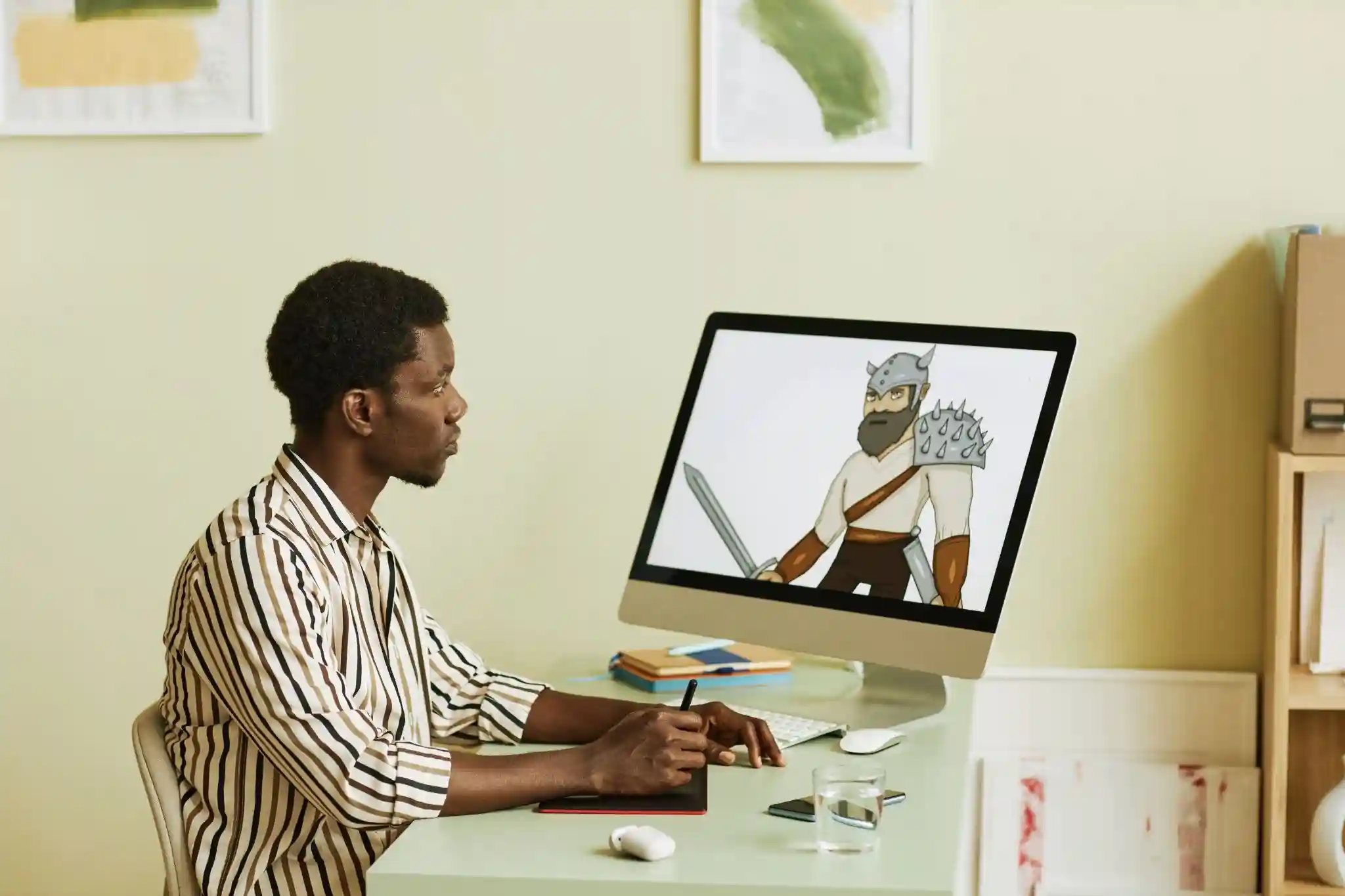
Hardware matters too. A basic drawing tablet with pressure sensitivity is enough for most beginners. High-end displays are helpful but not required. Many artists start with mid-range tablets and upgrade later.
Cost structure is another key factor. Some Digital Art Software platforms run on subscriptions. Others offer one-time purchases. Free and open-source options also exist. Beginners often assume paid equals better. That is not always true. The right tool is the one you will actually use consistently.
In 2026, many programs also run smoothly on mid-level laptops. System requirements are more optimized than before. Still, check compatibility before committing.
Core Features Beginners Should Prioritize
A clean interface is critical. Overloaded dashboards create friction. Look for customizable workspaces so you can hide advanced tools until needed.
A strong brush engine is essential for digital painting. You want responsive strokes, adjustable opacity, and texture variety. Even simple sketching becomes enjoyable with the right brush behavior.
Layer management is another must-have. Non-destructive editing allows experimentation without fear. Being able to adjust colors, masks, and effects without ruining the base artwork builds confidence.
Export flexibility is often ignored. If you plan to share on social media, print posters, or collaborate with clients, file format compatibility matters. Choose Digital Art Software that supports common formats like PNG, PSD, SVG, and high-resolution exports.
Beginners should focus on stability and usability first. Advanced filters and 3D tools can come later.
Top Digital Art Software for Beginners in 2026
Beginner-Friendly All-in-One Platforms
Several mainstream platforms dominate the market because they balance power with accessibility. Programs like Adobe Photoshop remain industry standards. They offer extensive tools and professional workflows. However, the subscription model may not suit every beginner.
Procreate is popular among tablet users. Its intuitive interface and strong brush engine make it ideal for illustrators starting out. The one-time purchase model appeals to budget-conscious creatives.
Clip Studio Paint stands out for comic artists and character designers. It offers panel tools and perspective guides that speed up structured artwork creation.
Krita is a powerful free alternative. It supports professional-grade painting tools and a supportive community. For beginners unsure about investing, Krita offers serious capability without cost.
Each of these platforms has strengths. The best choice depends on your device, creative focus, and financial flexibility.
Budget and Free Options to Start With
Free software has improved dramatically. GIMP provides robust editing tools. It has a steeper learning curve but rewards persistence.
MediBang Paint is beginner-friendly and optimized for comic creation. It includes cloud storage features, which simplify multi-device workflows.
The key question is not whether free tools are good enough. It is whether they align with your long-term goals. If you aim to work in professional studios, learning industry-standard tools early may help. If you want personal projects or freelance work, many free platforms are more than sufficient.
Upgrading makes sense when your skill level outgrows the tool’s limitations, not before.
Specialized Tools for Different Creative Goals
Different creative paths require different solutions. Character artists benefit from software with strong brush customization and anatomy guides. Comic creators need panel templates and perspective rulers. Logo designers should prioritize vector-focused applications.
Animation tools require timeline features and frame management. Some Digital Art Software integrates animation directly. Others require exporting into separate programs. Think about whether animation is a short-term experiment or a long-term focus.
Realistic digital painters often choose platforms with advanced blending and texture simulation. Stylized illustrators may prioritize color harmony tools and symmetry guides. Matching your ambition to the right tool reduces friction and speeds growth.
AI Integration in Digital Art Software
AI is no longer optional. Most major platforms now integrate intelligent features. Auto background generation, pose references, and smart fill tools reduce setup time.
However, beginners must approach AI strategically. Relying too heavily on automation can slow skill development. Use AI as a learning companion. Study how it generates shadows or adjusts lighting. Reverse-engineer its suggestions.
There are ethical considerations as well. AI-generated assets may be trained on external datasets. Understand licensing terms before using outputs commercially. Transparency and originality still matter in professional work.
The best artists in 2026 are those who combine human creativity with smart technology, not those who let the software dictate every decision.
Common Mistakes Beginners Make When Choosing Software
Overinvesting Too Early
Many beginners buy premium subscriptions and expensive hardware before mastering fundamentals. This creates pressure. It can also lead to burnout if progress feels slow.
Start simple. Focus on sketching daily. Upgrade only when your workflow genuinely demands more advanced tools. Growth should drive investment, not marketing hype.
Ignoring Workflow and Compatibility
Another mistake is ignoring file compatibility. If you plan to collaborate, check whether your chosen Digital Art Software integrates with industry formats.
Hardware mismatch is also common. Some tools run best on tablets. Others require stronger processors. Choosing incompatible setups leads to lag and frustration.
Always align software choice with your intended output. Print designers have different needs than social media illustrators.
Learning Resources and Community Support
The software itself is only part of the journey. Community support matters. Platforms with strong tutorial libraries accelerate progress. Many offer built-in walkthroughs and interactive lessons.
Online communities provide critique and accountability. Sharing early sketches may feel intimidating, but feedback speeds improvement. Forums, Discord groups, and digital art communities offer insights that official manuals never cover.
Portfolio-building features within Digital Art Software also help beginners track growth. Saving iterative versions allows you to measure progress over months. That visual record builds motivation.
Consistent practice remains the most powerful tool. Software can assist, but skill develops through repetition and experimentation.
Building a Beginner Workflow in 2026
A simple workflow helps avoid overwhelm. Start with rough sketches. Focus on composition and proportions. Move to clean line art. Add base colors. Refine shading and highlights. Finish with texture and adjustments.
Organize files clearly. Name layers logically. Save versions regularly. These small habits prevent chaos later.
If you use multiple tools, define clear roles. One program for sketching. Another for final polishing. Avoid constantly switching without purpose.
Prepare exports based on platform requirements. Social media compresses files differently than print services. Understanding output settings ensures your artwork looks professional everywhere.
A structured workflow transforms Digital Art Software from a confusing toolbox into a creative partner.
Future Trends in Digital Art Tools
Cloud collaboration is expanding. Artists can co-create in real time across continents. This will likely become standard in creative teams.
Cross-device compatibility is improving. You can sketch on a tablet, refine on a laptop, and finalize on a desktop without friction.
Immersive and VR-based art tools are emerging. These platforms allow painting in three-dimensional space. While still niche, they hint at the future of digital expression.
To future-proof your choice, prioritize platforms with regular updates and active development. Stagnant software quickly becomes obsolete in the fast-moving Digital Arts industry.
Conclusion
Starting digital art in 2026 offers unique advantages. Tools are smarter. Interfaces are cleaner. Communities are larger. But success does not depend on choosing the most expensive Digital Art Software. It depends on consistent practice, strategic upgrades, and understanding your creative direction.
Begin with clear goals. Choose software that aligns with those goals and your budget. Avoid rushing into advanced systems before mastering fundamentals. Leverage AI thoughtfully. Engage with communities. Build structured workflows.
Digital art is a long-term craft. The right tools make the journey smoother, but your creativity drives the outcome. Focus on growth, not perfection.
FAQs
1. What is the best Digital Art Software for complete beginners in 2026?
The best option depends on your device and goals. Tablet users often prefer Procreate, while desktop beginners may start with Krita or Clip Studio Paint for flexibility.
2. Should I choose free or paid Digital Art Software first?
Start with free software if you are unsure about a long-term commitment. Upgrade when your skill level demands advanced features or industry-standard compatibility.
3. Is AI in Digital Art Software helpful for beginners?
Yes, if used wisely. AI can speed up tasks like coloring and composition, but relying on it too heavily may slow fundamental skill development.
4. Do I need an expensive tablet to begin digital art?
No. A mid-range drawing tablet with pressure sensitivity is enough. Skill matters more than hardware in the early stages of learning.
5. How long does it take to become comfortable with Digital Art Software?
Most beginners feel confident after consistent practice for three to six months. Regular experimentation and tutorials significantly shorten the learning curve.
Leave a comment